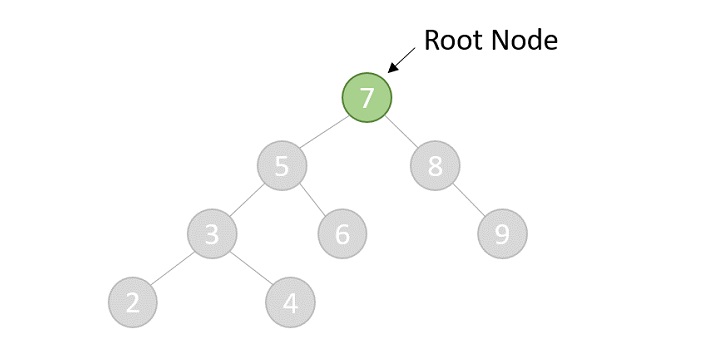
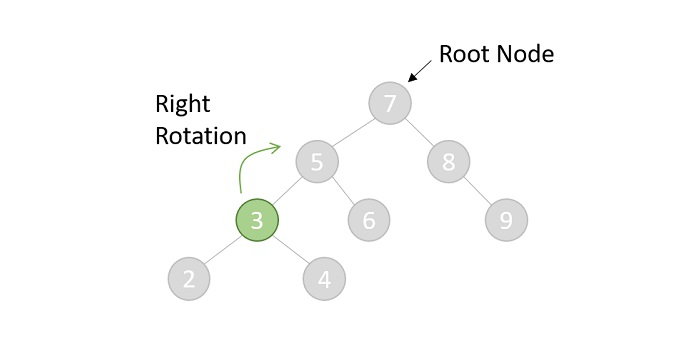
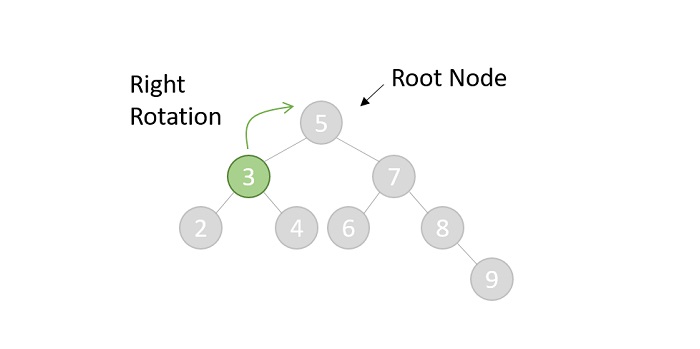
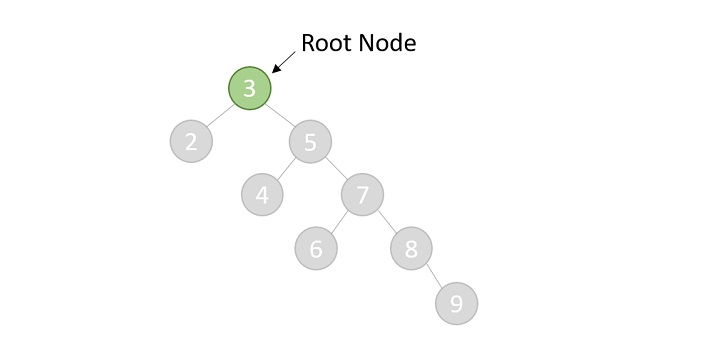
Priority search tree is a hybrid data structures, means it is a combination of binary search tree and priority queue. It is used for storing a set of points in a two-dimensional space, which are ordered by their priority and also key value.
It is a data structure that stores the points in sorted order based on their x-coordinate. Each node in the tree contains a priority queue that stores the points in sorted order based on their y-coordinate.
This data structure mainly used for solving the 2-D range query problem in computational geometry.
Structure of Priority Search Tree
Priority search tree has two main components:
- Binary Search Tree: The binary search tree stores the points in sorted order based on their x-coordinate.The left subtree of a node contains points with x-coordinates less than the x-coordinate of the node, and the right subtree contains points with x-coordinates greater than the x-coordinate of the node.
- Priority Queue: The priority queue stores the points in sorted order based on their y-coordinate.Each node in the tree contains a priority queue that stores the points in sorted order based on their y-coordinate.
Operations on Priority Search Tree
Priority search tree supports the following operations −
- Insert: Insert a point into the priority search tree.
- Search: Search for a point in the priority search tree based on its x-coordinate.
- Range Query: Find all the points that lie within a given range in the two-dimensional space.
Implementing Priority Search Tree
Priority search tree can be implemented using a binary search tree and a priority queue.
Here is an example of a priority search tree implemented using a binary search tree and a priority queue:
#include <stdio.h>#include <stdlib.h>// Structure to represent a point in 2D spacestructPoint{int x, y;};// Structure to represent a node in the priority search treestructNode{structPoint point;structNode* left;structNode* right;};// Function to create a new nodestructNode*createNode(structPoint point){structNode* newNode =(structNode*)malloc(sizeof(structNode));
   newNode->point = point;
   newNode->left =NULL;
   newNode->right =NULL;return newNode;}// Function to insert a point into the priority search treestructNode*insert(structNode* root,structPoint point){if(root ==NULL){returncreateNode(point);}if(point.x < root->point.x){
       root->left =insert(root->left, point);}else{
       root->right =insert(root->right, point);}return root;}// Function to print the points in the priority search treevoidprintPoints(structNode* root){if(root !=NULL){printPoints(root->left);printf("(%d, %d) ", root->point.x, root->point.y);printPoints(root->right);}}intmain(){structNode* root =NULL;structPoint points[]={{5,3},{2,8},{9,1},{7,4},{3,6}};int n =sizeof(points)/sizeof(points[0]);for(int i =0; i < n; i++){
       root =insert(root, points[i]);}printf("Points in the priority search tree: ");printPoints(root);printf("\n");return0;}
Output
Output of the above code will be:
Points in the priority search tree: (2, 8) (3, 6) (5, 3) (7, 4) (9, 1)
Search in Priority Search Tree
Searching for a point in a priority search tree is similar to searching for a key in a binary search tree. We start at the root of the tree and recursively search the tree based on the x-coordinate of the point.
Let us understand how the search operation works in a priority search tree:
Algorithm
Following is the algorithm, follow the steps:
1. Start at the root of the tree.
2. return the root if it is null or the x-coordinate of the root is equal to the search key.
3. if the search key is less than the x-coordinate of the root, recursively search the left subtree.
4. if the search key is greater than the x-coordinate of the root, recursively search the right subtree.
5. return the node if found, otherwise return null.
Example code
Here is an example code that demonstrates the search operation in a priority search tree:
#include <stdio.h>#include <stdlib.h>// Structure to represent a point in 2D spacestructPoint{int x, y;};// Structure to represent a node in the priority search treestructNode{structPoint point;structNode* left;structNode* right;};// Function to create a new nodestructNode*createNode(structPoint point){structNode* newNode =(structNode*)malloc(sizeof(structNode));
   newNode->point = point;
   newNode->left =NULL;
   newNode->right =NULL;return newNode;}// Function to insert a point into the priority search treestructNode*insert(structNode* root,structPoint point){if(root ==NULL){returncreateNode(point);}if(point.x < root->point.x){
       root->left =insert(root->left, point);}else{
       root->right =insert(root->right, point);}return root;}// Function to search for a point in the priority search treestructNode*search(structNode* root,int x){if(root ==NULL|| root->point.x == x){return root;}if(x < root->point.x){returnsearch(root->left, x);}else{returnsearch(root->right, x);}}intmain(){structNode* root =NULL;structPoint points[]={{5,3},{2,8},{9,1},{7,4},{3,6}};int n =sizeof(points)/sizeof(points[0]);for(int i =0; i < n; i++){
       root =insert(root, points[i]);}int x =7;structNode* result =search(root, x);if(result !=NULL){printf("Point with x-coordinate %d found: (%d, %d)\n", x, result->point.x, result->point.y);}else{printf("Point with x-coordinate %d not found\n", x);}return0;}
Output
Output of the above code will be:
Point with x-coordinate 7 found: (7, 4)
Range Query in Priority Search Tree
This operation is the main application of the priority search tree. It is used to find all the points that lie within a given range in the two-dimensional space.
Algorithm
Following is the algorithm, follow the steps:
1. Start at the root of the tree.
2. If the range intersects the x-coordinate of the node, search the priority queue at the node based on the y-coordinate of the range.
3. Retrieve the points that lie within the range.
4. Recursively search the left and right subtrees based on the x-coordinate of the range.
5. Return the points that lie within the range.
Example code
Here is an example code that demonstrates the range query operation in a priority search tree:
#include <stdio.h>#include <stdlib.h>// Structure to represent a point in 2D spacestructPoint{int x, y;};// Structure to represent a node in the priority search treestructNode{structPoint point;structNode* left;structNode* right;};// Function to create a new nodestructNode*createNode(structPoint point){structNode* newNode =(structNode*)malloc(sizeof(structNode));
   newNode->point = point;
   newNode->left =NULL;
   newNode->right =NULL;return newNode;}// Function to insert a point into the priority search treestructNode*insert(structNode* root,structPoint point){if(root ==NULL){returncreateNode(point);}if(point.x < root->point.x){
       root->left =insert(root->left, point);}else{
       root->right =insert(root->right, point);}return root;}// Function to print the points in the priority search treevoidprintPoints(structNode* root){if(root !=NULL){printPoints(root->left);printf("(%d, %d) ", root->point.x, root->point.y);printPoints(root->right);}}// Function to find all the points that lie within a given rangevoidrangeQuery(structNode* root,int x1,int x2,int y1,int y2){if(root ==NULL){return;}if(root->point.x >= x1 && root->point.x <= x2 && root->point.y >= y1 && root->point.y <= y2){printf("(%d, %d) ", root->point.x, root->point.y);}if(root->point.x >= x1){rangeQuery(root->left, x1, x2, y1, y2);}if(root->point.x <= x2){rangeQuery(root->right, x1, x2, y1, y2);}}intmain(){structNode* root =NULL;structPoint points[]={{5,3},{2,8},{9,1},{7,4},{3,6}};int n =sizeof(points)/sizeof(points[0]);for(int i =0; i < n; i++){
       root =insert(root, points[i]);}printf("Points in the priority search tree: ");printPoints(root);printf("\n");int x1 =3, x2 =7, y1 =2, y2 =5;printf("Points within the range (%d, %d) - (%d, %d): ", x1, y1, x2, y2);rangeQuery(root, x1, x2, y1, y2);printf("\n");return0;}
Output
Output of the above code will be:
Points in the priority search tree: (2, 8) (3, 6) (5, 3) (7, 4) (9, 1)
Points within the range (3, 2) - (7, 5): (5, 3) (3, 6) (7, 4)
Applications of Priority Search Tree
Following are the applications of a Priority Search Tree −
- Computational Geometry : Priority search tree is mostly used in computational geometry to solve two-dimensional range query problems.
- Database Systems : Used for search records in a database based on their x and y coordinates.
- Scheduling Algorithms : It can be used for scheduling tasks based on their priority and key value.
Conclusion
In this chapter, we have learned about the priority search tree data structure and its applications. We have also seen how to implement a priority search tree using a binary search tree and a priority queue. We have discussed the operations supported by the priority search tree, such as insert, search, and range query.
We have also seen how to search for a point in a priority search tree and find all the points that lie within a given range in a two-dimensional space.