Author: admin

  • PHP Filters

    It is important that the input data received in the form of client request is validated before processing in a PHP application. To perform input validation, the filter extension in PHP provides a number of filter functions, backed up by predefined filter constants and flags. The filter extension of PHP library also helps in sanitizing the input received by either GET or POST methods.

    The filter extension is a powerful feature that helps prevention of security vulnerabilities, such as SQL injection and cross-site scripting. The extension has two types of filters −

    Validation Filters

    Validation filters check if the data meets certain criteria. For example, you want to ensure that the user has correctly input an email field in the HTML form. The FILTER_VALIDATE_EMAIL will determine if the data is a valid email address. The validation filters, however, will not change the data itself.

    Sanitization Filters

    Sanitization refers to the process of removing undesired characters from the input. Hence, it may alter the data by removing undesired characters. For example, passing in FILTER_SANITIZE_EMAIL will remove characters that are inappropriate for an email address to contain, without performing validation.

    Filter Flags

    The filter extension in PHP defines a number of filter flags as follows −

    Sr.NoID & Description
    1FILTER_FLAG_STRIP_LOWStrips characters that have a numerical value <32.
    2FILTER_FLAG_STRIP_HIGHStrips characters that have a numerical value >127.
    3FILTER_FLAG_STRIP_BACKTICKStrips backtick characters.
    4FILTER_FLAG_ALLOW_FRACTIONAllows a period (.) as a fractional separator in numbers.
    5FILTER_FLAG_ALLOW_THOUSANDAllows a comma (,) as a thousands separator in numbers.
    6FILTER_FLAG_ALLOW_SCIENTIFICAllows an e or E for scientific notation in numbers.
    7FILTER_FLAG_NO_ENCODE_QUOTESIf this flag is present, single (‘) and double (“) quotes will not be encoded.
    8FILTER_FLAG_ENCODE_LOWEncodes all characters with a numerical value <32.
    9FILTER_FLAG_ENCODE_HIGHEncodes all characters with a numerical value >127.
    10FILTER_FLAG_ENCODE_AMPEncodes ampersands (&).
    11FILTER_NULL_ON_FAILUREReturns null for unrecognized values.
    12FILTER_FLAG_ALLOW_OCTALRegards inputs starting with a zero (0) as octal numbers.
    13FILTER_FLAG_ALLOW_HEXRegards inputs starting with 0x or 0X as hexadecimal numbers.
    14FILTER_FLAG_EMAIL_UNICODEAllows the local part of the email address to contain Unicode characters.
    15FILTER_FLAG_IPV4Allows the IP address to be in IPv4 format.
    16FILTER_FLAG_IPV6Allows the IP address to be in IPv6 format.
    17FILTER_FLAG_NO_PRIV_RANGEFails validation for the following private IPv4 ranges: 10.0.0.0/8, 172.16.0.0/12 and 192.168.0.0/16.
    18FILTER_FLAG_NO_RES_RANGEFails validation for the following reserved IPv4 ranges: 0.0.0.0/8, 169.254.0.0/16, 127.0.0.0/8 and 240.0.0.0/4.Fails validation for the following reserved IPv6 ranges: ::1/128, ::/128, ::ffff:0:0/96 and fe80::/10.
    19FILTER_FLAG_GLOBAL_RANGEFails validation for non global IPv4/IPv6 ranges
    20FILTER_FLAG_SCHEME_REQUIREDRequires the URL to contain a scheme part.
    21FILTER_FLAG_HOST_REQUIREDRequires the URL to contain a host part.
    22FILTER_FLAG_PATH_REQUIREDRequires the URL to contain a path part.
    23FILTER_FLAG_QUERY_REQUIREDRequires the URL to contain a query string.
    24FILTER_REQUIRE_SCALARRequires the value to be scalar.
    25FILTER_REQUIRE_ARRAYRequires the value to be an array.
    26FILTER_FORCE_ARRAYIf the value is a scalar, it is treated as array with the scalar value as only element.

    Filter Functions

    The filter extension includes the following filter functions −

    Sr.NoID & Description
    1filter_has_var()Checks if variable of specified type exists
    2filter_id()Returns the filter ID belonging to a named filter
    3filter_input_array()Gets external variables and optionally filters them
    4filter_input ()Gets a specific external variable by name and filters it
    5filter_list()Returns a list of all supported filters
    6filter_var_array()Gets multiple variables and optionally filters them
    7filter_var()Filters a variable with a specified filter

    Predefined Constants

    The above functions use one parameter called input_type which is one of the predefined enumerated constants representing how the input has been provided to the PHP script for filtering purpose.

    ConstantTypes
    INPUT_POST (int)POST Variables
    INPUT_GET (int)GET Variables
    INPUT_COOKIE (int)COOKIE Variables
    INPUT_ENV (int)ENV Variables
    INPUT_SERVER (int)SERVER Variables
    INPUT_SESSION (int)SESSION Variables
    INPUT_REQUEST (int)REQUEST Variables

    filter_has_var() function

    The filter_has_var() function checks if variable of specified type exists.

    filter_has_var(int$input_type,string$var_name):bool

    The input_type is one of predefined constants INPUT_GET, INPUT_POST, INPUT_COOKIE, INPUT_SERVER, or INPUT_ENV; where as the var_name parameter is the name of a variable to check. The function returns true on success or false on failure.

    Example

    Visit the following PHP script on the XAMPP server.

    <?php
       if (!filter_has_var(INPUT_GET, "email")) {
          echo("Email not found");
       } else {
          echo("Email found");
       }
    ?>

    It will produce the following output −

    Visit http://localhost/[email protected]

    Email found
    

    filter_input() function

    The filter_input() function gets a specific external variable by name and filters it accorfing to the applied filter constant

    filter_input(int$type,string$var_name,int$filter=FILTER_DEFAULT,array|int$options=0):mixed

    The type parameter is one of the constants INPUT_GET, INPUT_POST, INPUT_COOKIE, INPUT_SERVER, or INPUT_ENV. Second parameter is var_name, the name of a variable to get. You can use the filter to be applied. Use any of the predefined filter flags. If omitted, FILTER_DEFAULT will be used

    The function returns the value of the requested variable on success, false if the filter fails, or null if the var_name variable is not set.

    Example

    Take a look at the following example −

    <?php
       if (!filter_input(INPUT_GET, "email", FILTER_VALIDATE_EMAIL)) {
          echo("Email is not valid");
       } else {
          echo("Email is valid");
       }
    ?>

    It will produce the following output −

    If you use the URL http://localhost/[email protected],

    Email is valid
    

    If the URL is http://localhost/hello.php?email=a b [email protected],

    Email is not valid
    

    You can also use INPUT_POST type for validating the input received through the POST method −

    <?php
       if (!filter_input(INPUT_POST, "email", FILTER_VALIDATE_EMAIL)) {
          echo("Email is not valid");
       } else {
          echo("Email is valid");
       }
    ?>

    To pass data with POST request, open the command prompt, and use the following CURL command

    curl -X POST -d "{\"email\": \"[email protected]\"}" http://localhost/hello.php
    

    filter_list() function

    The filter_list() function returns a list of all supported filters

    filter_list():array

    Example

    The function returns an array of names of all supported filters, empty array if there are no such filters.

    <?php
       print_r(filter_list());
    ?>

    It will produce the following output −

    Array
    (
       [0] => int
       [1] => boolean
       [2] => float
       [3] => validate_regexp
       [4] => validate_domain
       [5] => validate_url
       [6] => validate_email
       [7] => validate_ip
       [8] => validate_mac
       [9] => string
       [10] => stripped
       [11] => encoded
       [12] => special_chars
       [13] => full_special_chars
       [14] => unsafe_raw
       [15] => email
       [16] => url
       [17] => number_int
       [18] => number_float
       [19] => add_slashes
       [20] => callback
    )
    

    filter_input_array() function

    The filter_input_array() gets external variables and optionally filters them.

    filter_input_array(int$type,array|int$options=FILTER_DEFAULT,bool$add_empty=true):array|false|null

    This function is useful for retrieving many values without repetitively calling filter_input().

    The type parameter is one of INPUT_GET, INPUT_POST, INPUT_COOKIE, INPUT_SERVER, or INPUT_ENV.

    The options parameter is an array defining the arguments. A valid key is a string containing a variable name and a valid value is either a filter type, or an array optionally specifying the filter, flags and options. This parameter can be also an integer holding a filter constant. Then all values in the input array are filtered by this filter.

    The function returns an array containing the values of the requested variables on success. If the input array designated by type is not populated, the function returns null if the FILTER_NULL_ON_FAILURE flag is not given, or false otherwise. For other failures, false is returned.

    Example

    To include an array in the HTTP request, we use the following HTML form in “hello.html”, and send it by POST method.

    <!DOCTYPE html><html><body><h1>Filter Input Array</h1><form action="hello.php" method="POST"><p><label for="email">Enter your email:</label><input type="text" id="email" name="email"></p><p><label for="age">Enter your age<label><input type = "text" id="age" name="age"></p><input type="submit"></form></body></html>

    The PHP script to validate the input array is as follows −

    <?php
       $filters = array (
          "age" => array ("filter"=>FILTER_VALIDATE_INT, 	
             "options"=>array("min_range"=>20,"max_range"=>40) ),
          "email" => FILTER_VALIDATE_EMAIL
       );
       print_r(filter_input_array(INPUT_POST, $filters));
    ?>

    Open the HTML form and enter 30 as age, [email protected] as email, the result will be an array, validating both the inputs −

    Array ( [age] => 30 [email] => [email protected] )
    

    Try giving invalid inputs such as “age=15”. The output array will show a null value for age key

    Array ( [age] => [email] => [email protected] )
  • PHP Design Patterns

    In the theory of software engineering, the term “Design patterns” generally refers to a reusable solution that can be used as a template for developing applications to address commonly occurring problems. You can consider the software design patterns as formalized best practices when developing software solutions.

    Most of the standard design patterns can be very effectively implemented in developing applications in PHP. In this chapter, we shall learn how to apply some of the popular design patterns in developing PHP applications.

    Singleton Pattern

    The singleton design pattern is useful when you want to restrict the instantiation of an object of a certain class to only one instance. The name “singleton pattern” comes from the concept of singleton in Mathematics. Singleton pattern ensures that there will be only one instance, having a global access to it throughout the application.

    Typical application of singleton pattern is creation of a database connection object, which must be created once in the lifetime of an application.

    Example

    In the following code, the DataBaseConnector class can be instantiated only once, otherwise a message that disallows duplicate object will be issued.

    <?php
       class DataBaseConnector {				
          private static $obj;				
          private final function __construct() {
             echo __CLASS__ . " object created for first time ". PHP_EOL;
          }
          public static function getConnect() {
             if (!isset(self::$obj)) {
                self::$obj = new DataBaseConnector();
                return self::$obj;
             } else {
                echo "connection object could not be created again" . PHP_EOL;
             }
          }
       }
    
       $obj1 = DataBaseConnector::getConnect();
       $obj2 = DataBaseConnector::getConnect();
    
       var_dump($obj1 == $obj2);
    ?>

    It will produce the following output −

    DataBaseConnector object created for first time 
    connection object could not be created again
    bool(false)
    

    Factory Pattern

    This is one of the most commonly used design patterns. In this pattern, you dont declare the object of the desired class directly, but another class is provided whose static method creates the required object.

    Example

    The following example demonstrates how factory design pattern works −

    <?php
       class Automobile {
          private $bikeMake;
          private $bikeModel;
    
          public function __construct($make, $model) {
             $this->bikeMake = $make;
             $this->bikeModel = $model;
          }
    
          public function getMakeAndModel() {
             return $this->bikeMake . ' ' . $this->bikeModel;
          }
       }
    
       class AutomobileFactory {
          public static function create($make, $model) {
             return new Automobile($make, $model);
          }
       }
    
       $pulsar = AutomobileFactory::create('ktm', 'Pulsar');
       print_r($pulsar->getMakeAndModel());
    ?>

    It will produce the following output −

    ktm Pulsar
    

    Strategy Pattern

    The strategy pattern recommends an approach where you encapsulate specific families of algorithms allowing the client class responsible for instantiating a particular algorithm. The class that implements the pattern has no knowledge of the actual implementation.

    Example

    Here is a code that demonstrates the use of strategy pattern. We have an interface whose case() method is implemented differently by two different classes. The object of testdata class calls the respective case() methods indirectly through its own process() method.

    <?php
       interface example {
          public function case($str);
       }
    
       class ucase implements example {
          public function case($str) {
             return strtoupper($str);
          } 
       }
    
       class lcase implements example {
          public function case($str) {
             return strtolower($str);
          }
       }
    
       class testdata {
          private $data;
    
          public function __construct($input) {
             $this->data = $input;
          }
          public function process(example $type) {
             return $this->data = $type->case($this->data);
          }
       }
       $str = "hello";
       $obj = new testdata($str);
       echo $obj->process(new ucase) . PHP_EOL;  
       $str = "HELLO";
       echo $obj->process(new lcase);
    ?>

    It will produce the following output −

    HELLO
    Hello
    

    MVC Design Pattern

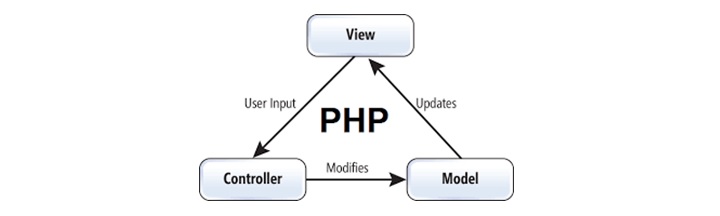
    MVC, which stands for Model, View and Controller, is a very popular softeware architecture pattern. Most of the PHP networks such as Laravel, Symfony etc. implement the MVC architecture.

    The separation of the role of each layer in an application is as follows −

    • Model − Refers to the data structure. In this case, the database.
    • View − Refers to the user interface. The HTML and CSS.
    • Controller − The “middleman” doing the processing. Accepts input from the view, and works with the model. Self-explanatory, the PHP scripts and libraries themselves.

    The View acts as the GUI, the Model acts as the back-end and the Control acts as an adapter. Here, three parts are interconnected with each other. It will pass the data and access the data between each other.

    Example

    Let us implement the MVC design pattern in pure PHP, JavaScript and HTML in the example below −

    The presentation layer of the application is view.php, which renders a HTML form. The user submits the data to a controller script. The result returned by the controller is rendered on the web page with a bit of JavaScript

    view.php

    <!DOCTYPE html><html><head><title>View (User Interface)</title><link rel="stylesheet" href="style.css"></head><body><form id="mysearch" action="controller.php" method="POST"><input type="text" id = "nm" name="search" required><input type="submit" value="Search"></form><div id="results"></div><script>
          let results = document.getElementById("results");
          results.innerHTML = "";
       </script><?php
          session_start();
          if (isset($_SESSION['result'])) {
             $arr=$_SESSION['result'];
    
             foreach ($arr as $obj) {?><script>
                   results.innerHTML += "<div><?php echo $obj['id'] . "-" . 
    			      $obj['name'] . "</div>"; ?>";
                </script><?php
             }
          }
       ?></body></html>

    The controller script requires model.php, and uses the database object, calls the select method to fetch data from the database. The result is stored in the current session so that it can be accessed on the view page.

    controller.php

    <?php
       session_start();
       require "model.php";
       $results = $_DB->select(
          "SELECT * FROM `users` WHERE `name` LIKE ?",
          ["%{$_POST["search"]}%"]
       );
       $_SESSION['search'] = $_POST['search'];
       $_SESSION['result'] = $results;
       Header("Location: view.php", true);
    ?>

    The model layer of the application is coded in “model.php”. It establishes connection with mysql database named mydb, using PDO extension.

    model.php

    <?php
       class DB {
          public $error = "";
          private $pdo = null;
          private $stmt = null;
          var $dsn="localhost";  
          var $dbName="myDB";  
          var $username="root";       
          var $password=""; 
          function __construct () {
             $this->pdo = new PDO("mysql:host=$this->dsn;dbname=$this->
    		    dbName",$this->username,$this->password); 
          }
          function __destruct () {
             if ($this->stmt!==null) { $this->stmt = null; }
             if ($this->pdo!==null) { $this->pdo = null; }
          }
          function select ($sql, $data=null) {
             $this->stmt = $this->pdo->prepare($sql);
             $this->stmt->execute($data); 
             return $this->stmt->fetchAll();
          }
       }
       $_DB = new DB();
    ?>

    The backend mydb database must have a users table with ID and NAME fields.

    -- Table structure for table `users`--CREATETABLE`users`(`id`bigint(20)NOTNULL,`name`varchar(255)NOTNULL)ENGINE=InnoDB DEFAULTCHARSET=utf8mb4 COLLATE=utf8mb4_general_ci;---- Dumping data for table `users`--INSERTINTO`users`(`id`,`name`)VALUES(21,'Ahmad Shaikh'),(24,'Akshay Wadkar'),(26,'Bridget Wooten'),(10,'Coby Kelleigh'),(20,'Dashan Shah'),(12,'Elizabeth Taylor'),(41,'Issac Newton'),(34,'Julia Roberts'),(31,'Junior Mahmood'),(32,'Kailas Bende'),(47,'Karan Sharma'),(16,'Kenneth Sanders'),(28,'Kirstie Thomas'),(33,'Lawrence Murphy'),(14,'Leah Shan'),(51,'Marcus Best'),(29,'Maya Pande'),(50,'Nathaniel Khan'),(6,'Richard Breann'),(54,'Rowan Avalos'),(3,'Rusty Terry'),(37,'Sacha Gross'),(27,'Sally Castillo'),(11,'Sarah Sanders'),(18,'Seth Sonnel'),(38,'Shannon Peterson'),(25,'Shayan Clements'),(49,'Shoaib Vickers'),(43,'Simran Kaur'),(35,'Sulaiman Gilmour'),(44,'Taran Morin'),(48,'Taran Morin'),(22,'Thelma Kim'),(8,'Tillie Sharalyn'),(36,'Virgil Collier');

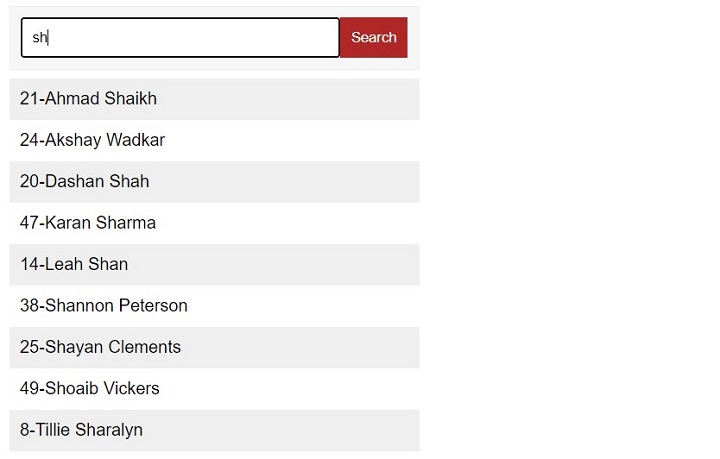
    Start the application by visiting “http://localhost/view.php” in the browser. Enter a search term corresponding to the names having required letters.

    PHP Design Patterns
  • Core PHP vs Frameworks

    PHP is by far the most popular server-side programming language for web application development, with nearly 75% of websites using PHP either in its core form or one of the PHP frameworks available. To make a choice between using “core PHP” or frameworks for web development, we need to understand the pros and cons of both.

    To give a simple analogy, developing a web application purely with core PHP is like solving a mathematical problem manually by writing down each step on the paper. On the other hand, using a framework is similar to using tools such as a calculator to solve a problem. Just as a calculator, the frameworks are useful tools for rapid application development.

    Core PHP vs Frameworks Pros and Cons

    A web framework, especially a PHP framework is a collection of one or more PHP libraries and classes. It provides a generic functionality that allows the developer to concentrate more on the application logic, rather than writing code scratch. It provides a reusable software environment that quickly builds a minimal working template application.

    Developing a web application purely in core PHP has its own advantages and disadvantages −

    • It gives the developer better control and flexibility.
    • At the same time, for a larger application developed with core PHP only can become unwieldy, difficult to manage and maintain.

    Now, let’s turn to pros and cons of using PHP Frameworks −

    • A PHP framework such as Symfony, Laravel or Yii offers a more standardized approach towards web application development. With most of the routine and repetitive part handled by the framework, the developer can concentrate more on the application logic. Hence, there is lesser time wasted in debugging.
    • On the other hand, a framework is not as flexible compared to core PHP. The skeleton template of the application is readily made available by the framework, leaving the developer to customize the functionality only within the scope defined by the framework.

    The MVC Architecture

    Most of the web application frameworks employ the MVC (Model, View and Controller) architecture, which makes it a lot easier to write quality, robust code, by separating the logic from the style.

    PHP Core PHP Vs Frameworks

    If you wish to use the core PHP features for your application development, you are free to adopt an object oriented approach or a modular approach, whichever suits you.

    Built-in Security Measures

    PHP frameworks offer built-in security measures to be incorporated in a web applications.

    • If you choose to develop an application with core PHP, you will have to provide the security measures explicitly.
    • Most of the frameworks however have a few external dependencies, which may leave the application rather vulnerable, as compared to a core PHP application which is a self-contained solution.

    A framework-based application may be a little slow when it comes to performance, as compared to core PHP application, especially for a smaller application.

    Comparison: Core PHP vs Frameworks

    The comparison between the two can be summarized as follows −

    • For smaller applications, core PHP is preferrable over framework.
    • Framework offers rapid development and code reusability.
    • Frameworks are less flexible.
    • Using core PHP features, the developer has complete control.
    • For large applications, the MVC architecture is helpful.
    • Frameworks offer integrated authorization and authentication support. In a core PHP application, the security rules need to be explicitly defined.
  • PHP Frameworks

    The PHP ecosystem has a number of web frameworks. Some of the popular PHP web frameworks are Laravel, Yii, CakePHP etc. While one can build a web application with the help of core PHP, developers are increasingly preferring web frameworks for rapid application development.

    What are Software Frameworks?

    In computer programming, a software framework is a collection of libraries and classes that provide a generic functionality that allows the developer to concentrate more on the application logic, rather than writing code for routine but tedious low-level processes.

    A framework provides a reusable software environment that quickly builds a minimal working template application. Developer can then modify these blocks for additional functionality.

    Each framework is built to help the developer build an application of a certain type. For example, web frameworks (sometimes also called “web application framework”) are used for the development of web applications including web services, web resources, and web APIs.

    In this chapter, let us take a brief overview of some of the popular PHP frmeworks.

    FuelPHP

    FuelPHP (https://fuelphp.com/) works based on Model View Control and having innovative plug ins. FuelPHP supports router-based theory where you might route directly to a nearer the input uri, making the closure the controller and giving it control of further execution.

    PHP Frameworks 1

    CakePHP

    CakePHP (https://cakephp.org/) is a great source to build up simple and great web application in an easy way. Some great features which are inbuilt in PHP are input validation, SQL injection prevention that keeps you application safe and secure.

    PHP Frameworks 2

    FlightPHP

    FlightPHP (https://flightphp.com/) is very helpful to make RESTful web services and it is under MIT licence.

    PHP Frameworks 3

    Symfony

    Symfony is for highly professional developers to build websites with PHP components such as Drupal, PHPBB, laravel, eX, OROCRM and piwik.

    PHP Frameworks 4

    yiiFramework

    YiiFramework (https://www.yiiframework.com/) works based on web 2.0 with high end security. It included input Validation, output filtering, and SQL injection.

    PHP Frameworks 5

    Laravel

    Laravel (https://laravel.com/) is most useful for RESRful Routing and light weight bled tempting engine. Laravel has integrated with some of great components of well tested and reliable code.

    PHP Frameworks 6

    Zend

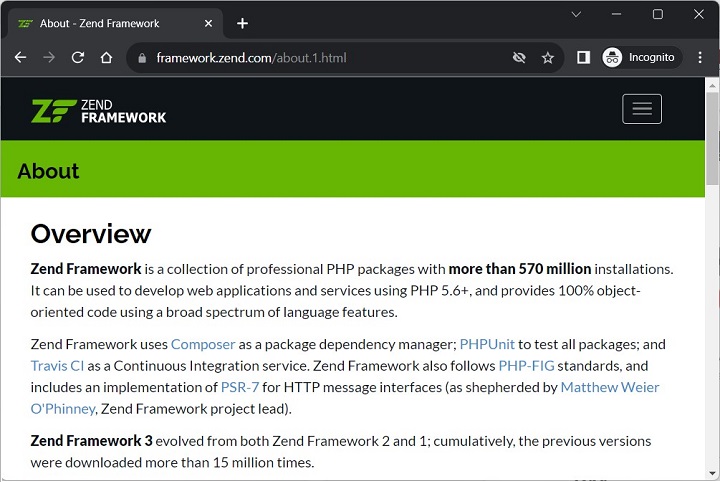
    Zend (https://framework.zend.com/) is Modern frame work for performing high end web applications. This works based on Cryptographic and secure coding tools. Zend Framework is a collection of professional PHP packages with more than 570 million installations.

    It can be used to develop web applications and services using PHP 5.6+, and provides 100% object-oriented code using a broad spectrum of language features.

    PHP Frameworks 7

    Codeigniter

    Codeigiter is simple to develop small footprint for developer who need simple and elegant tool kit to create innovative web applications.

    PHP Frameworks 8

    Phalcon PHP

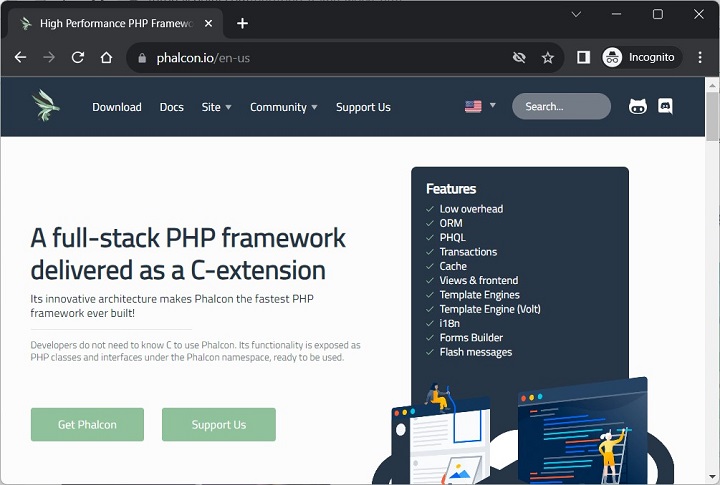
    Pholcon (https://phalcon.io/en-us) is a PHP framework that works based on MVC and integrated with innovative architecture to do perform faster.

    PHP Frameworks 9

    PHPixie

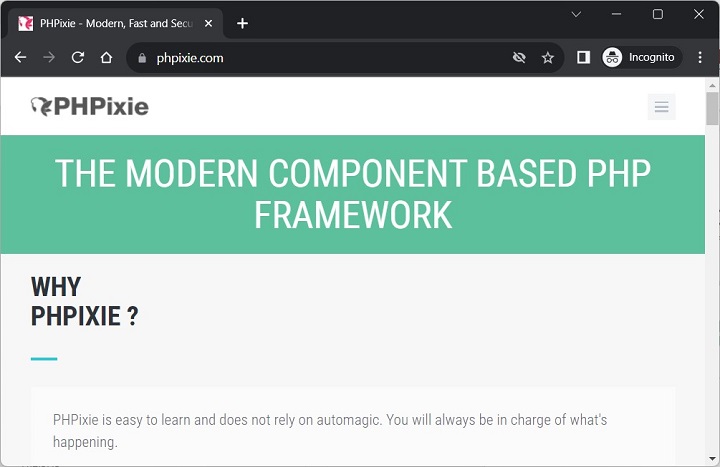
    PHPixie (https://phpixie.com/) works based on MVC and designed for fast and reliability to develop web sites.

    PHP Frameworks 10

    Agavi

    Agavi is a powerful and scalable PHP5 application framework and it follows the MVC model. Agavi can help PHP developers in writing clean and maintainable code.

  • PHP For PERL Developers

    PERL is a dynamically typed, high level and general-purpose programming language. It is normally believed that PERL is an acronym for Practical Extraction and Reporting Language. PHP on the other hand is also a general-purpose scripting language. Initially PHP used to be a short for Personal Home Page, but these days it has now been recognized as a recursive acronym PHP: Hypertext Preprocessor.

    In this chapter, certain major similarities and differences in between PHP and PERL are listed. This will help PERL developers to understand PHP very quickly and avoid common mistakes.

    Similarities between PERL and PHP

    Both Perl and PHP are scripting languages. They are not used to build native standalone executables in advance of execution.

    Early versions of PHP were inspired by PERL. PHP’s basic syntax is very similar to PERL. Both share a lot of syntactic features with C. Their code is insensitive to whitespace, Each statement is terminated by semicolons.

    Both PHP and PERL use curly braces to organize multiple statements into a single block. Function calls start with the name of the function, followed by the actual arguments enclosed in parentheses and separated by commas, in both the cases.

    • All variables in PHP look like scalar variables in PERL: a name with a dollar sign ($) in front of it.
    • Since both the languages are dynamically typed, you dont need to declare the type of a PHP as well as a PERL variable before using it.
    • In PHP, as in PERL, variables have no intrinsic type other than the value they currently hold. You can store either number or string in same type of variable.
    • Both PHP and Perl do more interpretation of double-quoted strings (“string”) than of single-quoted strings (‘string’).

    Differences between PERL and PHP

    PHP can be embedded inside HTML. Although it is possible to run a PHP script from the command line, it is more popularly used as a server-side scripting language on a Web server and used for producing Web pages.

    If you are used to writing CGI scripts in PERL, the main difference in PHP is that you no longer need to explicitly print large blocks of static HTML using print or heredoc statements and instead can simply write the HTML itself outside of the PHP code block.

    No @ or % variables − PHP has one only kind of variable, which starts with a dollar sign ($). Any of the datatypes in the language can be stored in such variables, whether scalar or compound. In PERL, the array variable is prefixed with @ symbol. Also, the hash variable is prefixed by % symbol.

    Unlike PERL, PHP has a single datatype called an array which can be an indexed array or associative array, which is similar to hash in PERL.

    Function calls in PHP look pretty much like subroutine calls in PERL. Function definitions in PHP, on the other hand, typically require some kind of list of formal arguments as in C or Java which is not the case in PERL.

    Scope of variables in PERL is global by default. This means that top-level variables are visible inside subroutines. Often, this leads to promiscuous use of globals across functions. In PHP, the scope of variables within function definitions is local by default.

    No module system in PHP as such. In PHP there is no real distinction between normal code files and code files used as imported libraries.

    Break and continue rather than next and last PHP is more like C language and uses break and continue instead of next and last statement as in PERL.

    No elsif − A minor spelling difference: Perl’s elsif is PHP’s elseif.

    In addition to Perl-style (#) single-line comments, PHP offers C-style multiline comments (/* comment */) and Java-style single-line comments (// comment).

    Regular expressions − PHP does not have a built-in syntax specific to regular expressions, but has most of the same functionality in its “Perl-compatible” regular expression functions.

  • PHP For C Developers

    If you have a prior knowledge of C programming, learning PHP becomes a lot easier, especially the basics. Although PHP is a lot like C, it is bundled with a whole lot of Web-specific libraries, with everything hooked up directly to your favorite Web server.

    The simplest way to think of PHP is as interpreted C that you can embed in HTML documents. PHP script can also be executed from the command line, much like a C program.

    The syntax of statements and function definitions should be familiar, except that variables are always preceded by $, and functions do not require separate prototypes.

    Let us take a look at some of the similarities and differences in PHP and C −

    Similarities Between C and PHP

    Syntax − Broadly speaking, PHP syntax is the same as in C, which is what makes learning PHP easier, if you are already conversant with C.

    Similar to C, PHP Code is blank insensitive, statements are terminated with semicolons.

    function calls have the same structure

    my_function(expression1, expression2){
       Statements;}

    Curly brackets are used to put multiple statements into blocks.

    PHP supports C and C++-style comments (/* */ as well as //), and also Perl and shell-script style (#).

    Operators − The assignment operators (=, +=, *=, and so on), the Boolean operators (&&, ||, !), the comparison operators (<,>, <=, >=, ==, !=), and the basic arithmetic operators (+, -, *, /, %) all behave in PHP as they do in C.

    Control Structures − The basic control structures (if, switch, while, for) behave as they do in C, including supporting break and continue. One notable difference is that switch in PHP can accept strings as case identifiers.

    PHP also has foreach looping construct that traverses the collections such as arrays.

    Function Names − As you peruse the documentation, you.ll see many function names that seem identical to C functions.

    Differences Between C and PHP

    Dollar Sign − All variable names are prefixed with a leading $. Variables do not need to be declared in advance of assignment, and they have no intrinsic type. PHP is a dynamically typed language, as against C being a statically typed language.

    Types − PHP has only two numerical types: integer (corresponding to a long in C) and double (corresponding to a double in C). In PHP, float is synonymous to double. Strings are of arbitrary length. There is no separate char type in PHP, as is the case in C.

    Type Conversion − C is a strongly typed language, as type of a variable must be declared before using, and the types are checked at compile time. PHP on the other hand, is a weakly typed language, types are not checked at compile time, and type errors do not typically occur at runtime either. Instead, variables and values are automatically converted across types as needed.

    Arrays − Arrays have a syntax superficially similar to C’s array syntax, but they are implemented completely differently. In C, an array is a collection of similar data types. In a PHP array, the items may be of different types. PHP arrays are actually associative arrays or hashes, and the index can be either a number or a string. They do not need to be declared or allocated in advance.

    No Struct Type − The struct keyword in C is used to define a new data type. There is no struct keyword or its equivalent in PHP, partly because the array and object types together make it unnecessary. The elements of a PHP array need not be of a consistent type.

    No Pointers − Pointers are an important concept in C. There are no pointers available in PHP, although the tapeless variables play a similar role. Unlike C, PHP does support variable references. You can also emulate function pointers to some extent, in that function names can be stored in variables and called by using the variable rather than a literal name.

    No Prototypes − Functions do not need to be declared before their implementation is defined, as long as the definition can be found somewhere in the current code file or included files. On the contrary, a C function must defined before it is used.

    No main() − In a C program, the main() function is the entry point, irrespective of where it is present in the code. A PHP program on the other hand starts execution from the first statement in the script

    Memory Management − The PHP engine is effectively a garbage-collected environment (reference-counted), and in small scripts there is no need to do any deallocation. You should freely allocate new structures – such as new strings and object instances. IN PHP5, it is possible to define destructor for objects, but there is are no free or delete keywords as in C/C++. Destructor are called when the last reference to an object goes away, before the memory is reclaimed.

    Compilation and Linking − PHP is an interpreted language. Hence, the compiled version of PHP script is not created. A C program is first compiled to obtain the object code, which is then linked to the required libraries to build an executable. There is no separate compilation step for PHP scripts. A PHP script cannot be turned into a self executable.

    Permissiveness − As a general matter, PHP is more forgiving than C (especially in its type system) and so will let you get away with new kinds of mistakes. Unexpected results are more common than errors.

  • PHP – Bugs Debugging

    A bug in a PHP code refers to an error in the program that leads to unexpected results or crash. A systematic approach towards the process of finding bugs before users do is called debugging. In this chapter, some important tips to trace bugs in a PHP code are given.

    Programs rarely work correctly the first time. Many things can go wrong in your program that can cause the PHP interpreter to generate an error message. You have a choice about where those error messages go. The messages can be sent along with other program output to the web browser. They can also be included in the “web server error log”.

    To make error messages display in the browser, set the “display_errors” configuration directive to ON. Ensure that the following settings are enabled in the “php.ini” file.

    display_errors=On
    display_startup_errors=On
    

    You can also use the ini_set() function to override the “pnp.ini” configuration −

    ini_set('display_errors',1)ini_set('display_startup_errors',1)

    To send errors to the web server error log, set “log_errors” to ON. You can set them both to On if you want error messages in both places.

    PHP defines some constants that you can use to set the value of error_reporting such that only errors of certain types get reported −

    • E_ALL (for all errors except strict notices)
    • E_PARSE (parse errors)
    • E_ERROR (fatal errors)
    • E_WARNING (warnings)
    • E_NOTICE (notices)
    • E_STRICT (strict notices)

    While writing your PHP program, it is a good idea to use PHP-aware editors like BBEdit or Emacs. One of the special features of these editors is syntax highlighting. It changes the color of different parts of your program based on what those parts are. For example, strings are pink, keywords such as if and while are blue, comments are grey, and variables are black.

    VS Code from Microsoft is also a good choice for editing PHP code. If you install VS Code extension Intelephense, you will get type hints and error message as you enter PHP statements in the editor window.

    Another feature is quote and bracket matching, which helps to make sure that your quotes and brackets are balanced. When you type a closing delimiter such as “}”, the editor highlights the opening “{” that it matches.

    Points to Check while Debugging a Code

    One needs to verfity the following points while debugging a program code −

    Missing Semicolons

    Every PHP statement ends with a semicolon (;). PHP doesn’t stop reading a statement until it reaches a semicolon. If you leave out the semicolon at the end of a line, PHP continues reading the statement on the following line.

    Not Enough Equal Signs

    When you ask whether two values are equal in a comparison statement, you need two equal signs (==). Using one equal sign is a common mistake.

    Misspelled Variable Names

    If you misspelled a variable then PHP understands it as a new variable. Remember: To PHP, $test is not the same variable as $Test.

    Missing Dollar Signs

    A missing dollar sign in a variable name is really hard to see, but at least it usually results in an error message so that you know where to look for the problem.

    Troubling Quotes

    You can have too many, too few, or the wrong kind of quotes. So check for a balanced number of quotes.

    Missing Parentheses and curly brackets

    They should always be in pairs.

    Array Index

    An array in PHP is a collection of items, each item assigned an incrementing index starting with 0.

    Moreover, handle all the errors properly and direct all trace messages into system log file so that if any problem happens then it will be logged into system log file and you will be able to debug that problem.

  • PHP TryCatch

    In PHP, the keywords try, catch, throw and finally are provided to deal with exceptions. Whereas an Error is an unexpected program result, which cannot be handled by the program itself and the program has to be terminated with die() or setting a custom error handler.

    On the other hand, an exception refers to an unexpected situation which can be handled in such a way that the program may keep running after throwing the exception out of its normal flow.

    An exception can be thrown, and caught with the catch keyword within PHP code. A code block which is potentially prone to exception is surrounded by a try block. Each try must have at least one corresponding catch or finally block.

    Try, Throw, Catch, and Finally

    The four exception related keywords have the following role to play −

    • Try − A block of code where some exception is likely to occur is placed in “try” block. If exception is not triggered, the code continues execution. However, if exception does occur, it is “thrown”. The execution is halted and PHP looks for matching “catch” block. If the exception is not caught, PHP issues a Fatal Error.
    • Throw − Here is how you trigger an exception. Each “throw” must have at least one “catch” or “finally” block.
    • Catch − a block that retrieves an exception and creates an object containing the exception information. Multiple catch blocks can be used to catch different exceptions.
    • Finally − Code within a finally block is always executed after throw or catch block.

    Example

    Here is an example of exception handling technique. The code renders two text fields on the browser and asks the user to enter two numbers for their division to be performed. If the second number (denominator) is 0, an exception is thrown and the program enters the catch block and prints the exception message. Otherwise the result of division is displayed.

    <html><body><form action="<?php echo $_SERVER['PHP_SELF'];?>" method="post"><h3>First No: <input type="text" name="first"/></h3><h3>Second No: <input type="text" name="second"/></h3><input type="submit" value="Submit" /></form><?php
          if ($_SERVER["REQUEST_METHOD"] == "POST") {
             $x = $_POST['first'];
             $y = $_POST['second'];
             echo "$x $y";
             try {
                if ($y == 0) {
                   throw new Exception("Division by Zero");
                }
                $z = $x/$y;
                echo "<h3>x = $x y = $y Division = $z<br>";
             }
             catch (Exception $e) {
                echo "<h3> Exception: " . $e->getMessage();
             }
          }
       ?></body></html>

    It will produce the following output −

    Case 1: x = 10 y = 5 Division = 2
    
    Case 2: x = 10 y = 0
    Exception: Division by Zero
    

    The Exception Class

    PHP throws an object of Exception class. In PHP, Exception class is the base for user exceptions. It implements throwable interface.

    This class defines the following methods −

    getMessage()

    This function returns the Exception message as a string −

    finalpublicException::getMessage():string

    getCode()

    This function returns the exception code as int in Exception −

    finalpublicException::getCode():int

    Take a look at the following example −

    try{thrownewException("Some error message",30);}catch(Exception$e){echo"The exception code is: ".$e->getCode();}

    getFile()

    This function returns the filename in which the exception was created −

    finalpublicException::getFile():string

    Take a look at the following example −

    try{if($y==0){thrownewException("Division by Zero");}$z=$x/$y;echo"<h3>x = $x y = $y Division = $z<br>";}catch(Exception$e){echo"<h3> Exception: ".$e->getMessage()." in ".$e->getFile();}

    It will produce the following output −

    Exception: Division by Zero in C:\xampp\htdocs\hello.php
    

    getLine()

    This function returns the line number where the exception was created −

    finalpublicException::getLine():int

    Example

    Take a look at the following example −

    <?php
       if ($_SERVER["REQUEST_METHOD"] == "POST") {
          $x = $_POST['first'];
          $y = $_POST['second'];
          echo "$x $y";
          try {
             if ($y == 0) {
                throw new Exception("Division by Zero");
             }
             $z = $x/$y;
             echo "<h3>x = $x y = $y Division = $z<br>";
          }
          catch (Exception $e) {
             echo "<h3> Exception: " . $e->getMessage(). " in " . $e->getLine() . " of " . $e->getFile();
          }
       }
    ?>

    It will produce the following output −

    Exception: Division by Zero in 21 of C:\xampp\htdocs\hello.php
    

    Multiple Catch Blocks

    PHP allows a series of catch blocks following a try block to handle different exception cases. Multiple catch blocks may be employed to handle predefined exceptions and errors as well as user defined exceptions.

    Example

    The following example uses catch blocks to process DivisioByZeroError, TypeError, ArgumentCountError and InvalidArgumentException conditions. There is also a catch block to handle general Exception.

    <?php
       declare(strict_types=1);
       function divide(int $a, int $b) : int {
          return $a / $b;
       }
       $a=10;
       $b=0;
       try {
       if (!$b) {
          throw new DivisionByZeroError('Division by zero.');
          if (is_int($a)==FALSE || is_int($b)==FALSE)
          throw new InvalidArgumentException("Invalid type of arguments");
          $result=divide($a, $b);
          echo $result;
       }
       
       // if argument types not matching
       catch (TypeError $x) {
          echo $x->getMessage();
       }
    
       // if denominator is 0
       catch (DivisionByZeroError $y) {
          echo $y->getMessage();
       }
    
       // if number of arguments not equal to 2
       catch (ArgumentCountError $z) {
          echo $z->getMessage();
       }
    
       // if argument types not matching
       catch (InvalidArgumentException $i) {
          echo $i->getMessage();
       }
    
       // any uncaught exception
       catch (Exception $ex) {
          echo $ex->getMessage();
       }	
    ?>

    To begin with, since denominator is 0, “divide by 0” error will be displayed −

    Division by 0
    

    Set $b=3 which will cause TypeError because divide function is expected to return integer but division results in float.

    divide(): Return value must be of type int, float returned
    

    If just one variable is passed to divide function by changing $res=divide($a); this will result in an ArgumentCountError −

    Too few arguments to function divide(), 1 passed in C:\xampp\htdocs\hello.php on line 16 and exactly 2 expected
    

    If one of arguments is not integer, it is a case of InvalidArgumentException. Change $b to a string −

    Invalid type of arguments
    

    The Finally Block

    finally block may also be specified after or instead of catch blocks. Code within the finally block will always be executed after the try and catch blocks, regardless of whether an exception has been thrown, and before normal execution resumes.

    try{if($y==0){thrownewException("Division by Zero");}$z=$x/$y;echo"<h3>x = $x y = $y Division = $z </h3><br>";}catch(Exception$e){echo"<h3> Exception: ".$e->getMessage()."</h3>";}finally{echo"<h3>End of try - catch - finally</h3>";}

    It will produce the following output −

    Case 1 −

    x = 10 y = 5 Division = 2
    End of try - catch  finally
    

    Case 2 −

    X=10 y=0
    Exception: Division by Zero
    End of try - catch  finally
    

    Finally With Return

    There is a peculiar behaviour of finally block when either try block or catch block (or both) contain a return statement. Normally a return statement causes the control of program to go back to the calling position. However, in case of a function with try/catch block with return, the statements in finally block are executed first before returning.

    Example

    In the following example, the div() function has a “try-catch-finally” construct. The try block without exception returns result of division. In case of exception, the catch block returns an error message. However, in either case, the statement in the finally block is executed first.

    <?php
       function div($x, $y) {
          try {
             if ($y==0)
             throw new Exception("Division by 0");
             else
             $res=$x/$y;;
             return $res;
          } 
          catch (Exception $e) {
             return $e->getMessage();
          }
          finally {
             echo "This block is always executed\n";
          }
       }
       $x=10;
       $y=0;
       echo div($x,$y);
    ?>

    It will produce the following output −

    This block is always executed
    Division by 0
  • PHP – Error Handling

    Error handling in PHP refers to the making a provision in PHP code to effectively identifying and recovering from runtime errors that the program might come across. In PHP, the errors are handled with the help of −

    • The die() function
    • The Error Handler Function

    The die() Function

    The die() function is an alias of exit() in PHP. Both result in termination of the current PHP script when encountered. An optional string if specified in the parenthesis, will be output before the program terminates.

    die("message");

    Example

    The following code is a typical usage of die() in a PHP script. It displays the File not found message if PHP doesnt find a file, otherwise proceeds to open it for subsequent processing.

    <?php
       if(!file_exists("nosuchfile.txt")) {
          die("File not found");
       } else {
          $file = fopen("nosuchfile","r");
          print "Opend file sucessfully";
    	  
          // Rest of the code here.
          fclose($file);
       }
    ?>

    It will produce the following output −

    File not found
    

    Using above technique, you can stop your program whenever it errors out and display more meaningful and user friendly message, rather than letting PHP generate fatal error message.

    The Error Handler Function

    Using die() for error handling is considered an ungainly and poor program design, as it results in an ugly experience for site users. PHP offers a more elegant alternative with which you can define a custom function and nominate it for handling the errors.

    The set_error_handler() function has the following parameters −

    set_error_handler(?callable$callback,int$error_levels=E_ALL):?callable

    The first parameter is a user defined function which is called automatically whenever an error is encountered.

    The custom error handler callback function should have the following parameters −

    handler(int$errno,string$errstr,string$errfile=?,int$errline=?,array$errcontext=?):bool

    Parameters

    ParameterImportanceDescription
    errnoRequiredIt specifies the error level for the user-defined error. It must be numerical value.
    errstrRequiredIt specifies the error message for the user-defined error.
    errfileOptionalIt specifies the filename in which the error occurred.
    errlineOptionalIt specifies the line number at which the error occurred.
    errcontextOptionalIt specifies an array containing variables and their values in use when the error occurred.

    If the callback function returns false, the default error will be called.

    The $errno is an integer corresponding to the predefined error levels.

    Sr.NoConstant & DescriptionValue
    1E_ERROR (int)Fatal run-time errors that can not be recovered from. Execution of the script is halted.1
    2E_WARNING (int)Run-time warnings (non-fatal errors). Execution of the script is not halted.2
    3E_PARSE (int)Compile-time parse errors. Parse errors should only be generated by the parser.4
    4E_NOTICE (int)Run-time notices. Something that could indicate an error, but could also happen in the normal course of running a script.8
    5E_CORE_ERROR (int)Fatal errors that occur during PHP’s initial startup. This is like an E_ERROR16
    6E_CORE_WARNING (int)Warnings (non-fatal errors) that occur during PHP’s initial startup. This is like an E_WARNING,32
    7E_COMPILE_ERROR (int)Fatal compile-time errors. This is like an E_ERROR.64
    8E_COMPILE_WARNING (int)Compile-time warnings (non-fatal errors). This is like an E_WARNING.128
    9E_USER_ERROR (int)User-generated error message. This is like an E_ERROR, generated in PHP code by using the PHP function trigger_error().256
    10E_USER_WARNING (int)User-generated warning message. This is like an E_WARNING, generated in PHP code by using the function trigger_error().512
    11E_USER_NOTICE (int)User-generated notice message. This is like an E_NOTICE generated in PHP code by using the function trigger_error().1024
    12E_STRICT (int)Enable to have PHP suggest changes to your code which will ensure the best interoperability and forward compatibility of your code.2048
    13E_RECOVERABLE_ERROR (int)Catchable fatal error. If the error is not caught by a user defined handler, the application aborts as it was an E_ERROR.4096
    14E_DEPRECATED (int)Run-time notices. Enable this to receive warnings about code that will not work in future versions.8192
    15E_USER_DEPRECATED (int)User-generated warning message. This is like an E_DEPRECATED, generated in PHP code by using the function trigger_error().16384
    16E_ALL (int)All errors, warnings, and notices.32767

    Example

    Take a look at the following example −

    <?php
       error_reporting(E_ERROR);
    
       function myerrorhandler($errno, $errstr) {
          echo "error No: $errno Error message: $errstr" . PHP_EOL;
          echo "Terminating PHP script"; 
          die();
       }
    
       set_error_handler("myerrorhandler");
    
       $f = fopen("nosuchfile.txt", "r");
       echo "file opened successfully";
       // rest of the code
       fclose($f);
    ?>

    It will produce the following output −

    error No: 2 Error message: fopen(nosuchfile.txt): Failed to open stream: No 
    such file or directory
    Terminating PHP script
    

    PHPs error class hierarchy starts from throwable interface. All the predefined Error classes in PHP are inherited from Error class.

    The ArithmeticError Class

    The ArithmeticError class is inherited from the Error class. This type of error may occur while performing certain mathematical operations such as performing bitwise shift operation by negative amount.

    Example

    Take a look at the following example −

    <?php
       try {
          $a = 10;
          $b = -3;
          $result = $a << $b;
       } 
       catch (ArithmeticError $e) {
          echo $e->getMessage(); 
       }
    ?>

    It will produce the following output −

    Bit shift by negative number
    

    This error is also thrown when call to intdiv() function results in value such that it is beyond the legitimate boundaries of integer.

    Example

    Take a look at the following example −

    <?php
       try {
          $a = PHP_INT_MIN;
          $b = -1;
          $result = intdiv($a, $b);
          echo $result;
       } 
       catch (ArithmeticError $e) {
          echo $e->getMessage(); 
       } 
    ?>

    It will produce the following output −

    Division of PHP_INT_MIN by -1 is not an integer
    

    DivisionByZeroError

    DivisionByZeroError class is a subclass of ArithmeticError class. This type of error occurs when value of denominator is zero in the division operation.

    Example: Modulo by Zero

    Take a look at the following example:

    <?php
       try {
          $a = 10;
          $b = 0;
          $result = $a%$b;
          echo $result;
       } 
       catch (DivisionByZeroError $e) {
          echo $e->getMessage(); 
       }
    ?>

    It will produce the following output −

    Modulo by zero
    

    This can also occur when a modulo operator (%) has 0 as second operator, and intdiv() function having second argument as 0.

    Example: Division by Zero

    Take a look at the following example −

    <?php
       try {
          $a = 10;
          $b = 0;
          $result = $a/$b;
          echo $result;
       } 
       catch (DivisionByZeroError $e) {
          echo $e->getMessage(); 
       }
    ?>

    It will produce the following output −

    Division by zero 
    

    ArgumentCountError

    PHP parser throws ArgumentCountError when arguments passed to a user defined function or method are less than those in its definition.

    Example

    Take a look at the following example −

    <?php
       function add($x, $y) {
          return $x+$y;
       }
       try {
          echo add(10);
       }
       catch (ArgumentCountError $e) {
          echo $e->getMessage();
       }
    ?>

    It will produce the following output −

    Too few arguments to function add(), 1 passed in C:\xampp\php\test.php on line 9 and exactly 2 expected
    

    TypeError

    This error is raised when actual and formal argument types don’t match, return type doesn’t match the declared returned type.

    Example

    Take a look at the following example −

    <?php
       function add(int $first, int $second) {
          echo "addition: " . $first + second;
       }
    
       try {
          add('first', 'second');
       } 
       catch (TypeError $e) {
          echo $e->getMessage(), "";
       }
    ?>

    It will produce the following output −

    add(): Argument #1 ($first) must be of type int, string given, 
       called in /home/cg/root/63814/main.php on line 7
    

    TypeError is also thrown when PHP’s built-in function is passed incorrect number of arguments. However, the “strict_types=1” directive must be set in the beginning.

    Example

    Take a look at the following example −

    <?php
       declare(strict_types=1);
       try {
          echo pow(100,2,3);
       }
       catch (TypeError $e) {
          echo $e->getMessage(), "";
       }
    ?>

    It will produce the following output −

    pow() expects exactly 2 parameters, 3 given
    

    Exceptions Handling in PHP

    PHP has an exception model similar to that of other programming languages. Exceptions are important and provides a better control over error handling.

    Lets explain there new keyword related to exceptions.

    • Try − A function using an exception should be in a “try” block. If the exception does not trigger, the code will continue as normal. However if the exception triggers, an exception is “thrown”.
    • Throw − This is how you trigger an exception. Each “throw” must have at least one “catch”.
    • Catch − A “catch” block retrieves an exception and creates an object containing the exception information.

    When an exception is thrown, code following the statement will not be executed, and PHP will attempt to find the first matching catch block. If an exception is not caught, a PHP Fatal Error will be issued with an “Uncaught Exception …

    • An exception can be thrown, and caught (“catched”) within PHP. Code may be surrounded in a try block.
    • Each try must have at least one corresponding catch block. Multiple catch blocks can be used to catch different classes of exceptions.
    • Exceptions can be thrown (or re-thrown) within a catch block.

    Example

    Following is the piece of code, copy and paste this code into a file and verify the result.

    <?php
       try {
          $error = 'Always throw this error';
          throw new Exception($error);
          
          // Code following an exception is not executed.
          echo 'Never executed';
       }catch (Exception $e) {
          echo 'Caught exception: ',  $e->getMessage(), "";
       }
       
       // Continue execution
       echo 'Hello World';
    ?>

    In the above example $e->getMessage function is used to get error message. There are following functions which can be used from Exception class.

    • getMessage() − message of exception
    • getCode() − code of exception
    • getFile() − source filename
    • getLine() − source line
    • getTrace() − n array of the backtrace()
    • getTraceAsString() − formated string of trace

    Creating Custom Exception Handler

    You can define your own custom exception handler. Use following function to set a user-defined exception handler function.

    stringset_exception_handler(callback$exception_handler)

    Here exception_handler is the name of the function to be called when an uncaught exception occurs. This function must be defined before calling set_exception_handler().

    Example

    Take a look at the following example −

    <?php
       function exception_handler($exception) {
          echo "Uncaught exception: " , $exception->getMessage(), "\n";
       }
    	
       set_exception_handler('exception_handler');
       throw new Exception('Uncaught Exception');
       
       echo "Not Executed";
    ?>

    Check complete set of error handling functions at PHP Error Handling Functions

  • PHP – Regular Expressions

    Regular expressions are nothing more than a sequence or pattern of characters itself. They provide the foundation for pattern-matching functionality.

    Using regular expression you can search a particular string inside a another string, you can replace one string by another string and you can split a string into many chunks.

    PHP offers functions specific to two sets of regular expression functions, each corresponding to a certain type of regular expression. You can use any of them based on your comfort.

    • POSIX Regular Expressions
    • PERL Style Regular Expressions

    POSIX Regular Expressions

    The structure of a POSIX regular expression is not dissimilar to that of a typical arithmetic expression: various elements (operators) are combined to form more complex expressions.

    The simplest regular expression is one that matches a single character, such as g, inside strings such as g, haggle, or bag.

    Lets give explanation for few concepts being used in POSIX regular expression. After that we will introduce you with regular expression related functions.

    Brackets

    Brackets ([]) have a special meaning when used in the context of regular expressions. They are used to find a range of characters.

    Sr.NoExpression & Description
    1[0-9]It matches any decimal digit from 0 through 9.
    2[a-z]It matches any character from lower-case a through lowercase z.
    3[A-Z]It matches any character from uppercase A through uppercase Z.
    4[a-Z]It matches any character from lowercase a through uppercase Z.

    The ranges shown above are general; you could also use the range [0-3] to match any decimal digit ranging from 0 through 3, or the range [b-v] to match any lowercase character ranging from b through v.

    Quantifiers

    The frequency or position of bracketed character sequences and single characters can be denoted by a special character. Each special character having a specific connotation. The +, *, ?, {int. range}, and $ flags all follow a character sequence.

    Sr.NoExpression & Description
    1p+It matches any string containing at least one p.
    2p*It matches any string containing zero or more p’s.
    3p?It matches any string containing zero or one p’s.
    4p{N}It matches any string containing a sequence of N p’s
    5p{2,3}It matches any string containing a sequence of two or three p’s.
    6p{2, }It matches any string containing a sequence of at least two p’s.
    7p$It matches any string with p at the end of it.
    8^pIt matches any string with p at the beginning of it.

    Examples

    Following examples will clear your concepts about matching characters.

    Sr.NoExpression & Description
    1[^a-zA-Z]It matches any string not containing any of the characters ranging from a through z and A through Z.
    2p.pIt matches any string containing p, followed by any character, in turn followed by another p.
    3^.{2}$It matches any string containing exactly two characters.
    4<b>(.*)</b>It matches any string enclosed within <b> and </b>.
    5p(hp)*It matches any string containing a p followed by zero or more instances of the sequence php.

    Predefined Character Ranges

    For your programming convenience several predefined character ranges, also known as character classes, are available. Character classes specify an entire range of characters, for example, the alphabet or an integer set −

    Sr.NoExpression & Description
    1[[:alpha:]]It matches any string containing alphabetic characters aA through zZ.
    2[[:digit:]]It matches any string containing numerical digits 0 through 9.
    3[[:alnum:]]It matches any string containing alphanumeric characters aA through zZ and 0 through 9.
    4[[:space:]]It matches any string containing a space.

    PHP’s Regexp POSIX Functions

    PHP currently offers seven functions for searching strings using POSIX-style regular expressions −

    Sr.NoFunction & Description
    1ereg()The ereg() function searches a string specified by string for a string specified by pattern, returning true if the pattern is found, and false otherwise.
    2ereg_replace()The ereg_replace() function searches for string specified by pattern and replaces pattern with replacement if found.
    3eregi()The eregi() function searches throughout a string specified by pattern for a string specified by string. The search is not case sensitive.
    4eregi_replace()The eregi_replace() function operates exactly like ereg_replace(), except that the search for pattern in string is not case sensitive.
    5split()The split() function will divide a string into various elements, the boundaries of each element based on the occurrence of pattern in string.
    6spliti()The spliti() function operates exactly in the same manner as its sibling split(), except that it is not case sensitive.
    7sql_regcase()The sql_regcase() function can be thought of as a utility function, converting each character in the input parameter string into a bracketed expression containing two characters.

    PERL Style Regular Expressions

    Perl-style regular expressions are similar to their POSIX counterparts. The POSIX syntax can be used almost interchangeably with the Perl-style regular expression functions. In fact, you can use any of the quantifiers introduced in the previous POSIX section.

    Lets give explanation for few concepts being used in PERL regular expressions. After that we will introduce you wih regular expression related functions.

    Meta characters

    A meta character is simply an alphabetical character preceded by a backslash that acts to give the combination a special meaning.

    For instance, you can search for large money sums using the ‘\d’ meta character: /([\d]+)000/, Here \d will search for any string of numerical character.

    Following is the list of meta characters which can be used in PERL Style Regular Expressions.

    Character		Description
    .              a single character
    \s             a whitespace character (space, tab, newline)
    \S             non-whitespace character
    \d             a digit (0-9)
    \D             a non-digit
    \w             a word character (a-z, A-Z, 0-9, _)
    \W             a non-word character
    [aeiou]        matches a single character in the given set
    [^aeiou]       matches a single character outside the given set
    (foo|bar|baz)  matches any of the alternatives specified
    

    Modifiers

    Several modifiers are available that can make your work with regexps much easier, like case sensitivity, searching in multiple lines etc.

    Modifier	Description
    i 	Makes the match case insensitive
    m 	Specifies that if the string has newline or carriage
    	return characters, the ^ and $ operators will now
    	match against a newline boundary, instead of a
    	string boundary
    o 	Evaluates the expression only once
    s 	Allows use of . to match a newline character
    x 	Allows you to use white space in the expression for clarity
    g 	Globally finds all matches
    cg 	Allows a search to continue even after a global match fails
    

    PHP’s Regexp PERL Compatible Functions

    PHP offers following functions for searching strings using Perl-compatible regular expressions −

    Sr.NoFunction & Description
    1preg_match()The preg_match() function searches string for pattern, returning true if pattern exists, and false otherwise.
    2preg_match_all()The preg_match_all() function matches all occurrences of pattern in string.
    3preg_replace()The preg_replace() function operates just like ereg_replace(), except that regular expressions can be used in the pattern and replacement input parameters.
    4preg_split()The preg_split() function operates exactly like split(), except that regular expressions are accepted as input parameters for pattern.
    5preg_grep()The preg_grep() function searches all elements of input_array, returning all elements matching the regexp pattern.
    6preg_ quote()Quote regular expression characters